
How to get your investor password
To connect an MT5 account for analytics, you'll need your Investor Password. This password grants read-only access to your account — meaning it’s safe to share for tracking purposes.
To generate it in MetaTrader 5 (MT5):
1. Open the MT5 platform.
2. Go to “Tools” > “Options”, then select the “Server” tab.
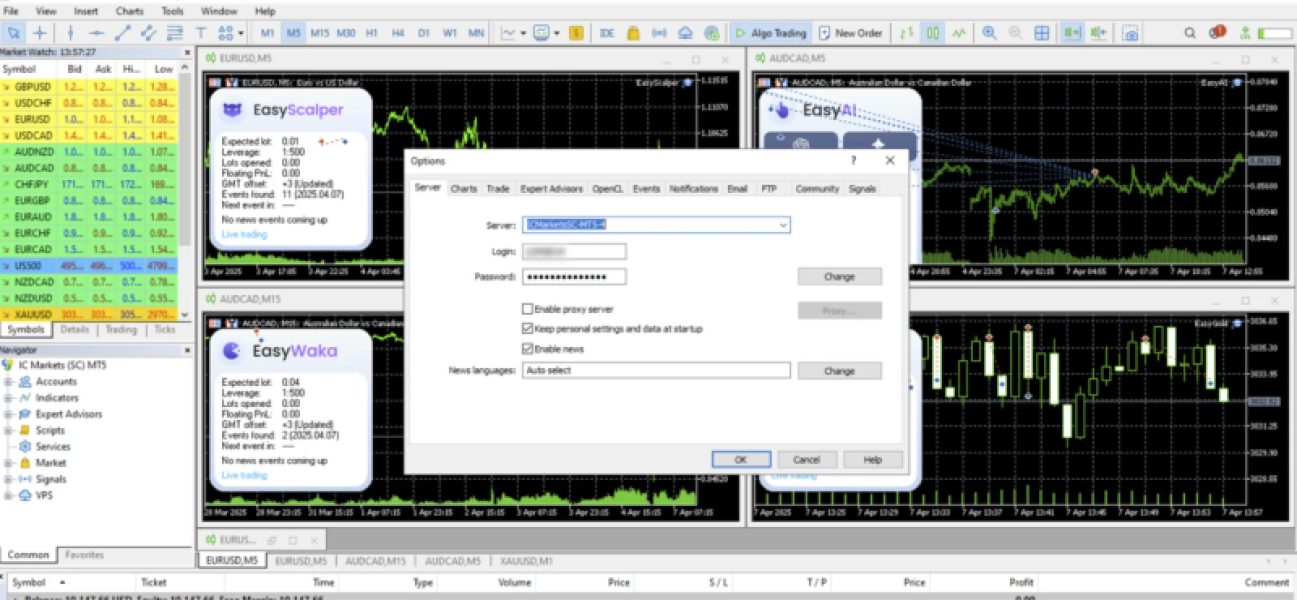
3. Click “Change”.
4. Select “Change investor (read-only) password”.
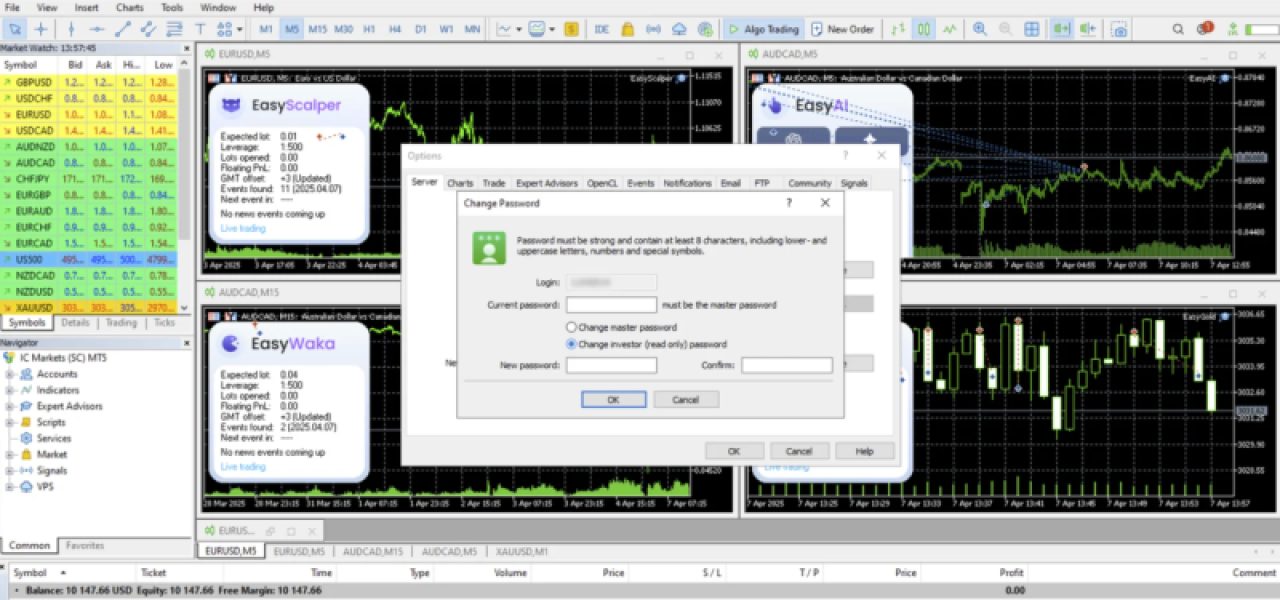
5. Enter your account’s master password, the new investor password and confirm it.
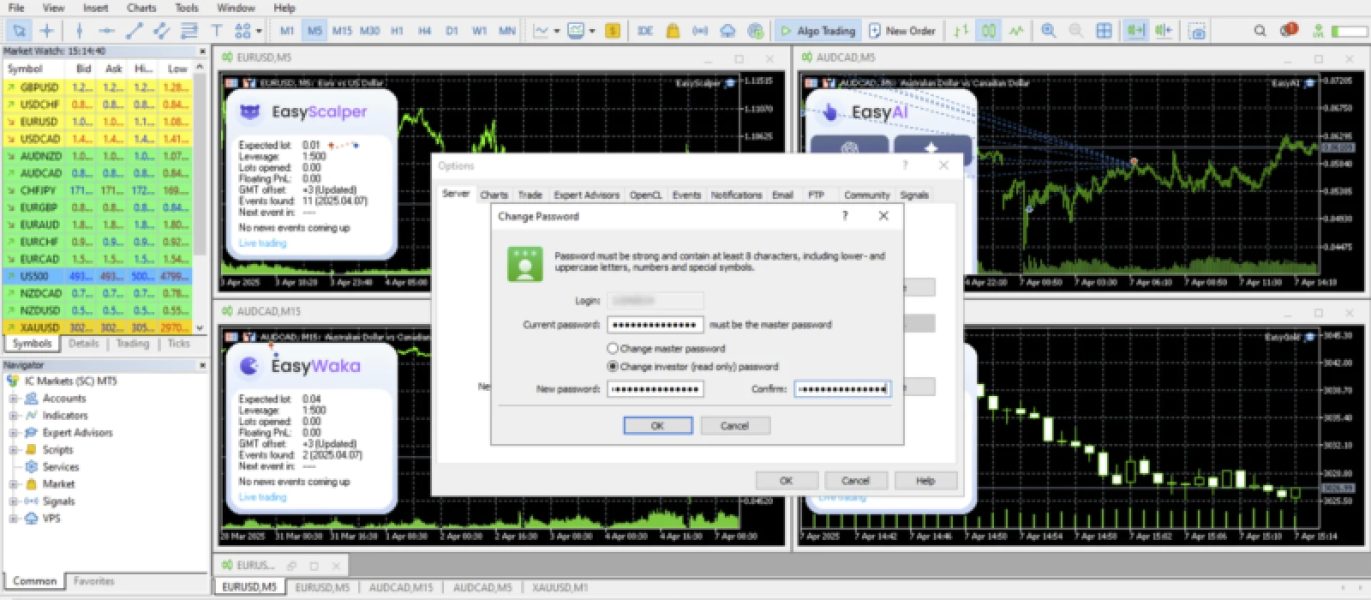
6. Click “OK” to save.
Alternative method:
- Right-click your account number in the Navigator panel and choose “Change Password”.
On Android/iOS:
- Go to Manage Accounts, select your account, tap the three dots, choose “Change Password”, and select “Change Investor Password”.